officebanao
·
Workspace Interiors Tech
·
2025
Workbench Foundations: Nav, Tables & Modal Systems
Video not loading? Sign into YouTube, then refresh. Direct link
Overview
Officebanao, founded 2021 in Gurugram, is an Indian B2B proptech startup delivering end-to-end office interiors via AI-driven design, 3D walkthroughs, real-time collaboration, and supply chain tech.
Workbench is an Internal B2B platform for sales, design, procurement, and finance teams managing leads, BOQs, vendors, and project execution.
As a Product Designer I optimized system-level UX: Drive, navigation, tables, filters, approvals, mass data upload cases and others. Refined info architecture, visual hierarchy, and interactions to accelerate daily workflows.
[Role]
Product Designer
[Team]
1x Product Manager , 1x Designer , 4x Engineers
[Impact]
Streamlined Workbench for sales/procurement cutting task completion 35% via refined navigation, data tables, and reusable modals system.
[Timeline]
June 2025- November 2025
Problem & Context
Essential platform, everyday friction
Over time, new modules and tables had been layered into Workbench each built quickly to support growth. This created fragmented UX: inconsistent navigation, dense tables, and friction in internal flows. Changing business requirements and tight timelines further led to ad‑hoc fixes, unclear adoption by teams, and recurring rework.
Design Goals
Design Evolution
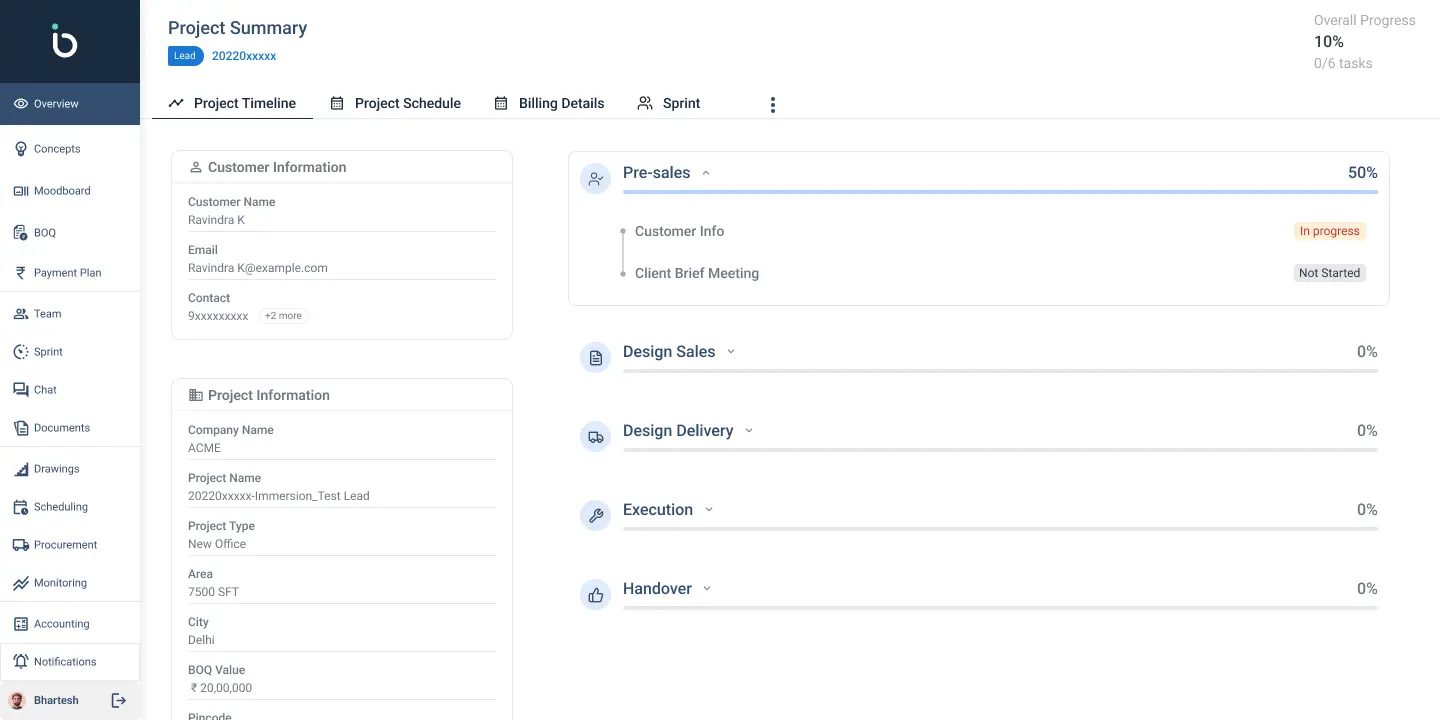
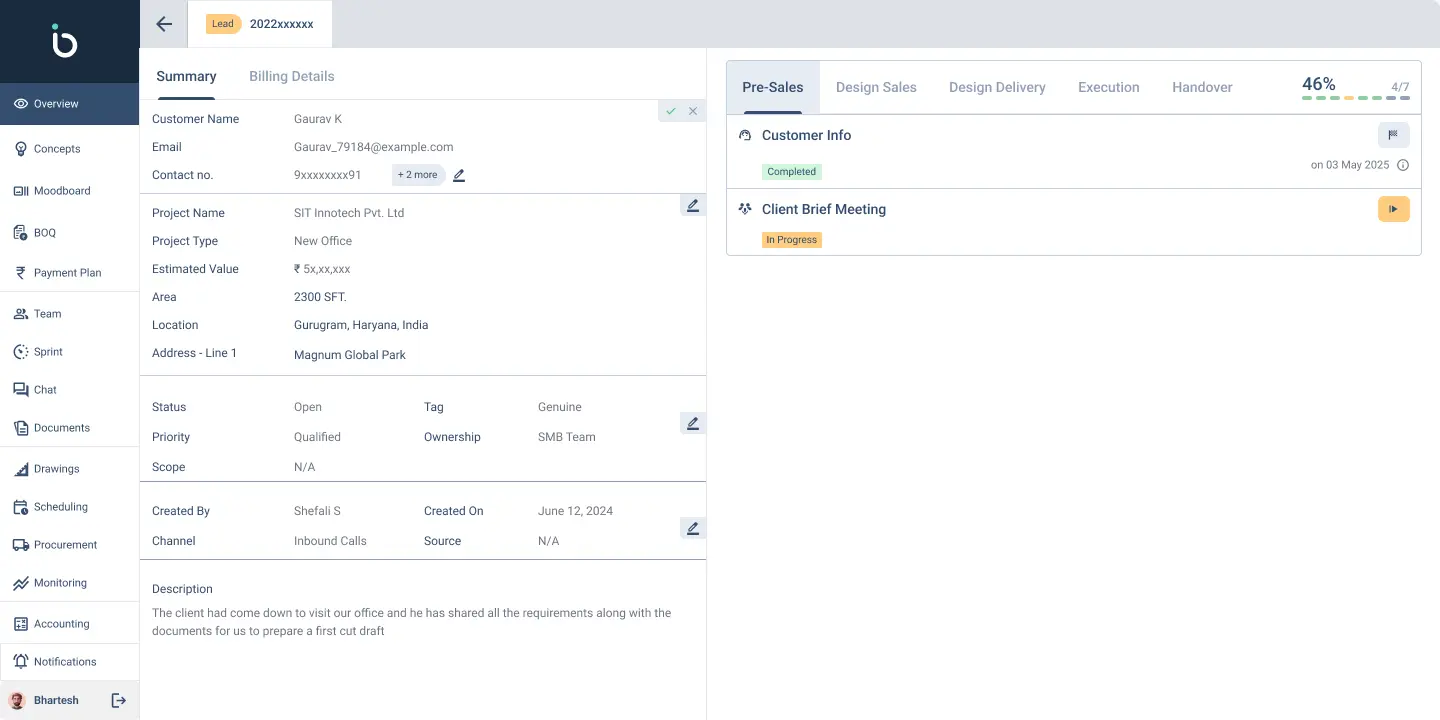
[ Before and after for Project Flow in Dashboard ]
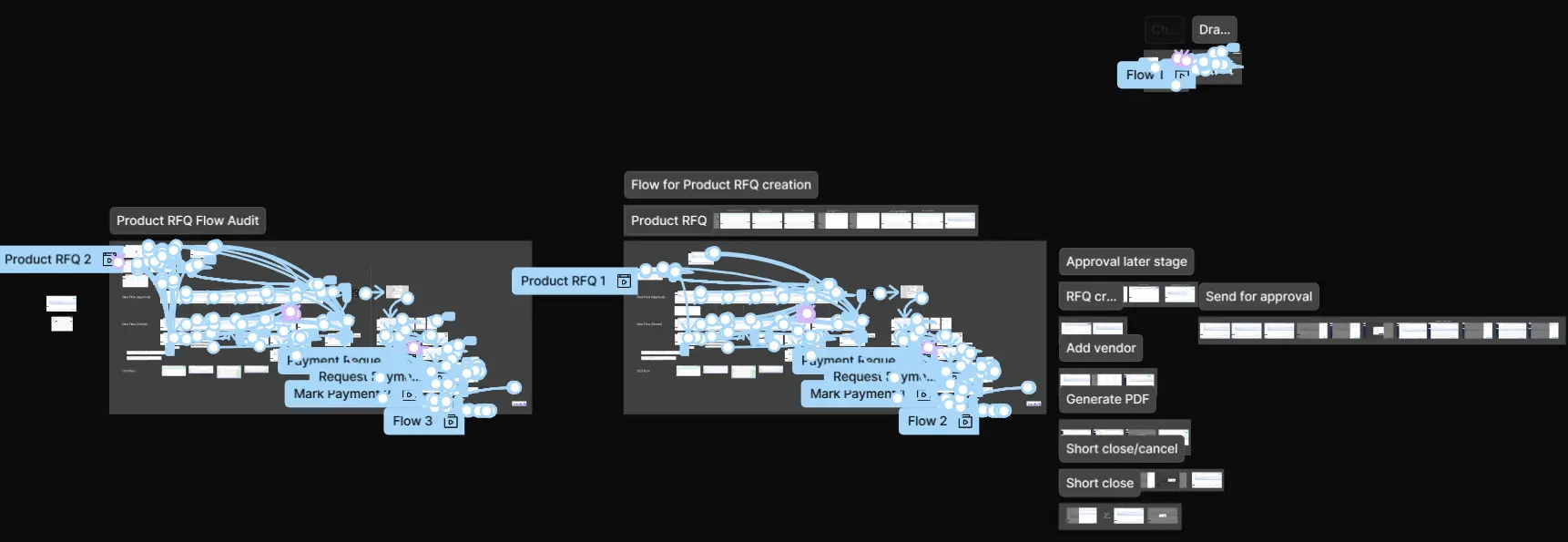
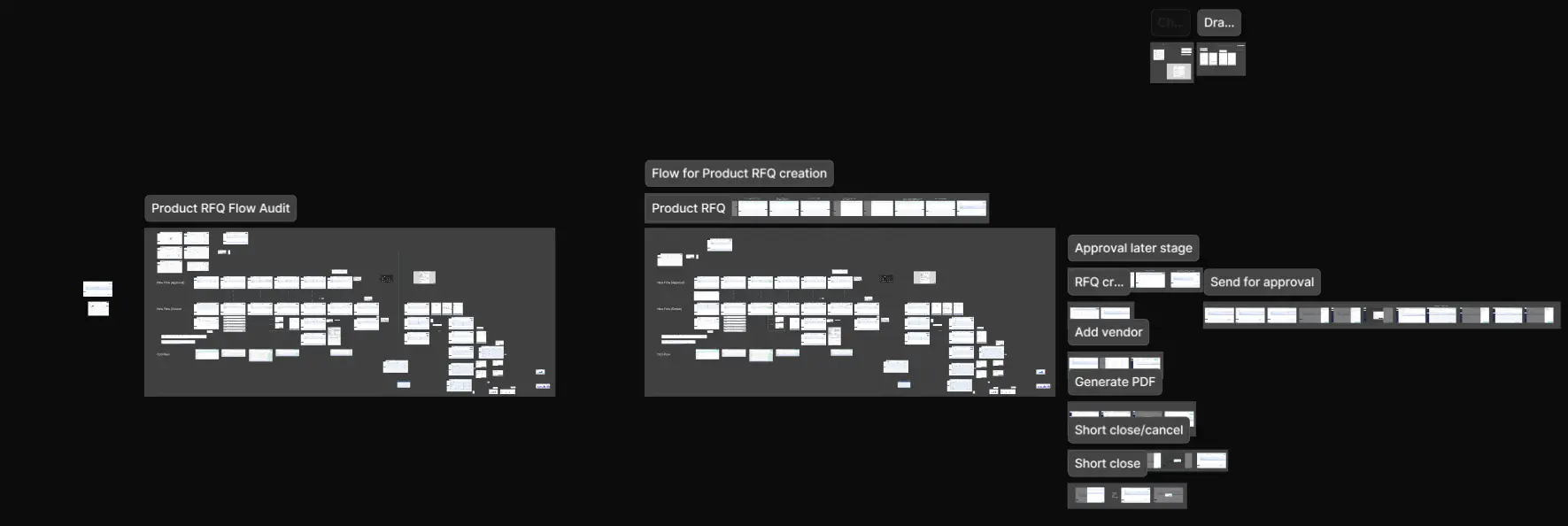
[Existing UI screenshots and mapping for quick proto under changes for Product RFQ ]
Design Decision 01
Bulk uploads, safer data
Challenge: The marketing team imported large customer lists via bulk upload but had no clear way to review records, spot issues, or confirm what would actually enter the system making the process risky and opaque.Option: I designed a bulk upload review modal between import and confirmation that previews the data in a table, highlights duplicate or problematic entries, and lets users accept, fix them or directly move to master data.Result: This turned a “black box” import into a safer, more transparent workflow and reduced bad data entering the system.
Video not loading? Sign into YouTube, then refresh. Direct link
Design Decision 02
Reusable Modal System
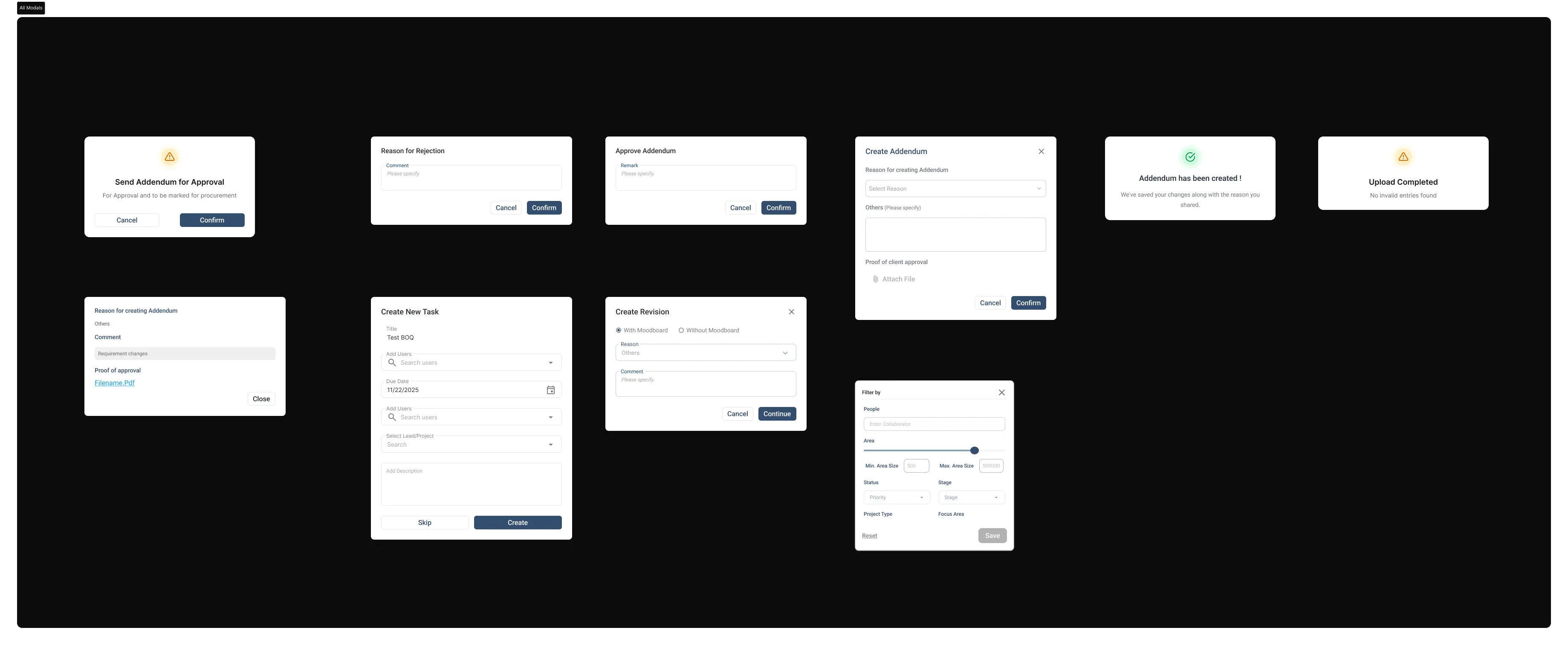
Challenge: Workbench modules (BOQ, Procurement, Design Board) required dense, critical actions each needed audit logs and context preservation with limited flexibility due to hardcoded changes.Option: Designed reusable modal variants that carry workflow context:
Confirmation , Info Capture (Notes, Addendum reasons + file proof) , Review/Approval (Invoice preview, Vendor RFQ with totals) , Critical Action (warnings for irreversible changes).Result: Reused across modules (Drive, BOQ, Design Board, Payment approvals, Project flow).Helped in ensuring consistent critical action handling.
Design Decision 03
AI + Design System Acceleration
Challenge: No concurrent design system existed , improvements were blocked and couldn't match tight business timelines. Workbench, being a live daily-use module, required gradual changes with thorough testing.Option: Leveraged "vibe-coded" AI prototyping for rapid validation:
Generated base layouts + edge cases (BOQ tables, modals) , Figma handoff for dev-ready precision specs , Maintaining of small component library alongside.Result: Reusable structures across modules (Drive, BOQ, Design Board, Payment approvals, Project flow and others).Helped in ensuring consistent critical action handling.
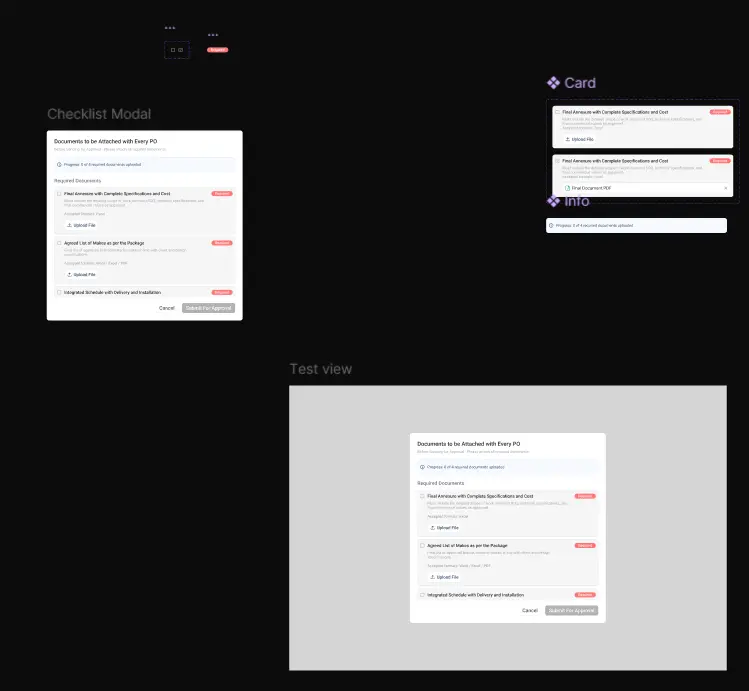
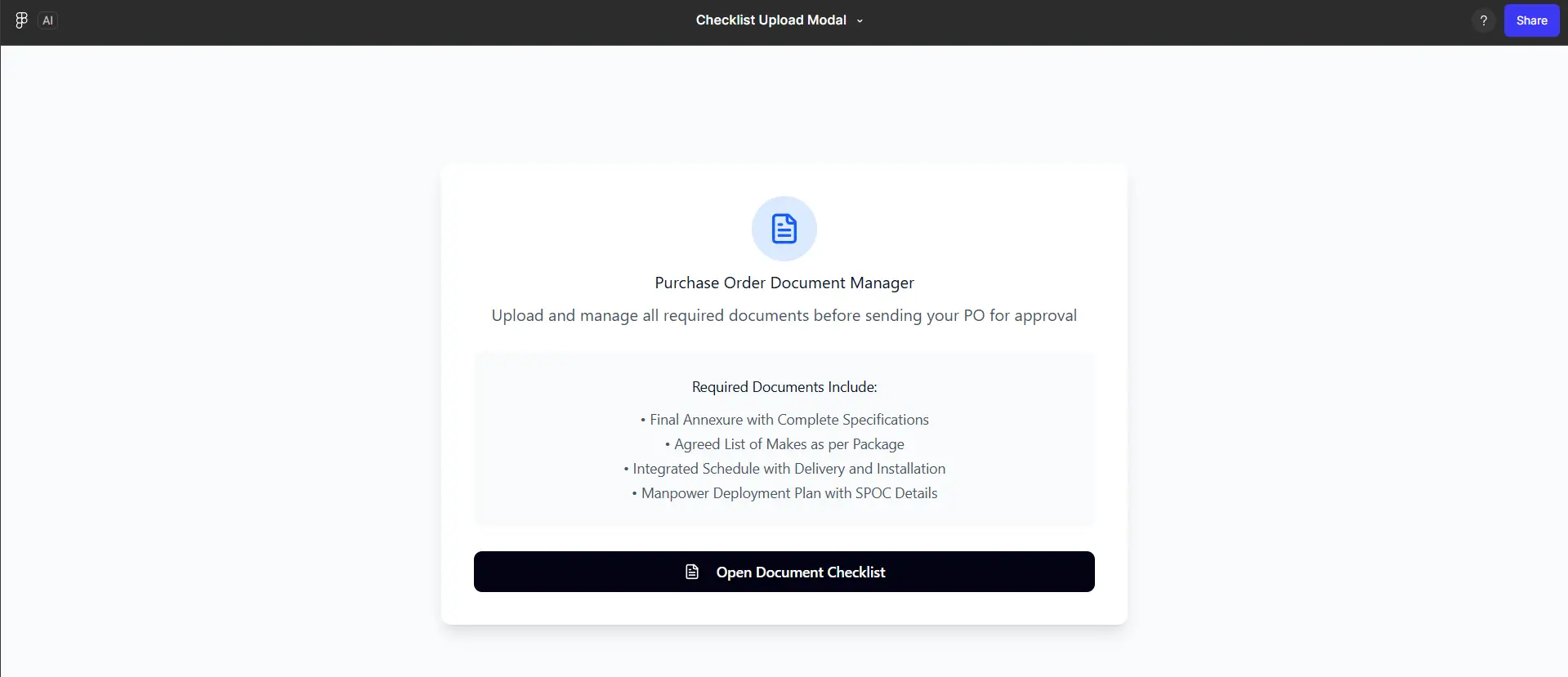
[ Figma Make prototype to Figma Design Handoff ]
Takeaways
Systems over screens
Having defined strructures helps with communication , faster workflow and scalability.
Ship small, measure often
Small testable steps > helped reduced risk > built trust with stakeholders.
AI as a speed layer, not a shortcut
Treating AI as a way to explore more options and free time for deeper UX thinking.
Ownership & Rights Statement
All content, designs, and solutions presented in this case study are the intellectual property of OfficeBanao (Swash Tech Solutions Pvt. Ltd.). The work showcased reflects my contributions as a product designer; however, the rights to the project, its development, and all related materials belong solely to the company.
See also
©2026 Now
by Bhartesh Kataria